Sign up with Google
 Sign in with Zoho

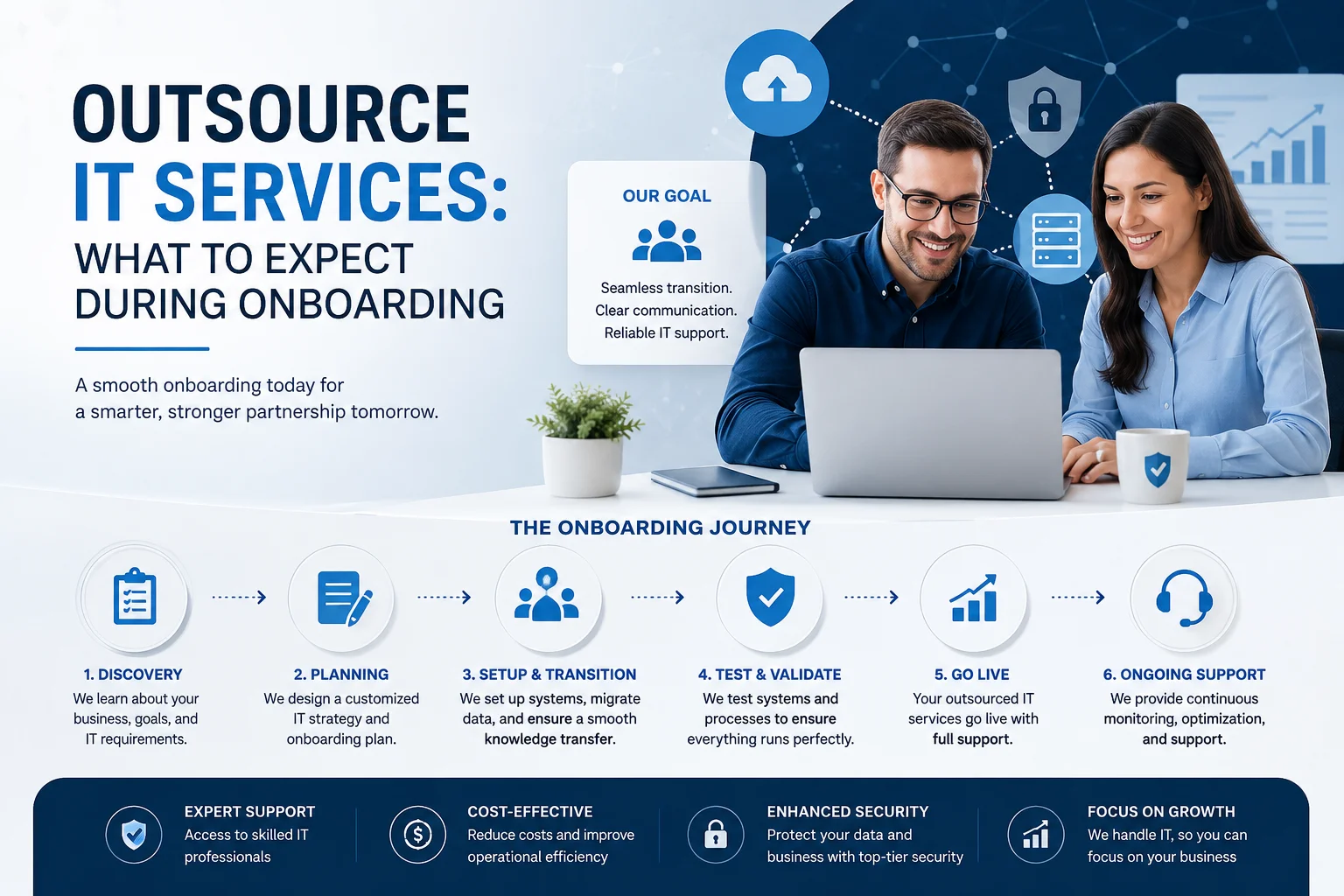
Outsource IT Services: What Happens During IT Provider Onboarding?
Deciding to outsource IT services is an important step for a business. But signing an agreement is only the beginning. The quality of the transition that follows can have a major impact on how smoothly your IT support relationship starts.
A well-planned onboarding process gives the IT provider a clear understanding of your technology environment, business operations, users, risks, and priorities. It also gives your team a chance to understand how support will work before day-to-day responsibilities are fully transferred.
For businesses considering managed IT services, onboarding should be more than creating user accounts and installing monitoring software. It should establish a reliable foundation for ongoing IT management.
What Is IT Provider Onboarding?
IT provider onboarding is the structured process of moving your technology support and management to an external IT provider.
The exact process varies between providers and service agreements. However, a professional onboarding process will typically involve discovery, documentation, access management, security assessment, technology review, communication planning, and service setup.
The goal is not to change everything immediately.
Instead, the provider should first understand what exists, identify important risks or gaps, and establish priorities for future improvements.
Why Does Onboarding Matter When You Outsource IT Services?
Your IT provider cannot effectively manage systems it does not understand.
A business may have years of accumulated technology decisions, legacy applications, cloud services, network equipment, security tools, backups, and user configurations. Some of that information may also exist only in the knowledge of an employee or previous provider.
A structured onboarding process helps bring this information together.
It can also identify problems that need attention before they become larger operational or security issues.
A Good Onboarding Process Should Establish
- Who is responsible for each IT function
- Which systems and services need to be managed
- How employees request technical support
- What security controls are currently in place
- Which improvements should be prioritized
This creates clarity for both the business and the IT provider.
Step 1: Initial Discovery and Business Discussion
The first stage should involve understanding the business, not just its technology.
An IT provider needs to know how your organization operates, which systems are important to employees, what applications support critical processes, and where technology problems affect productivity.
This conversation can also cover business goals.
For example, you may be planning to add employees, move more workloads to the cloud, open another location, support remote workers, or improve cybersecurity.
These plans can influence how your IT environment should be managed.
Questions the Provider May Explore
A discovery process may look at:
- Number of users and locations
- Critical business applications
- Current IT responsibilities
- Remote and hybrid work requirements
- Planned technology changes
This information helps the provider build an accurate starting point.
Step 2: Inventory the IT Environment
Once the business context is clear, the provider needs to understand the technology itself.
This may include computers, servers, networking equipment, cloud platforms, business applications, mobile devices, printers, security tools, and other connected systems.
An accurate inventory is important because missing assets can create support, security, and maintenance gaps.
The provider should also identify which systems are business-critical and how they connect with one another.
Step 3: Review Existing Documentation
Documentation can make or break an IT transition.
The provider may need access to information about network configurations, domain management, cloud accounts, software licenses, backup systems, vendors, and other important technology services.
If documentation is incomplete, onboarding may involve creating or updating it.
This is particularly important when an organization is changing providers. Important information should not remain dependent on one individual who may no longer be responsible for the environment.
Step 4: Review Security and Access
Security should be part of onboarding from the beginning.
When a provider takes responsibility for an IT environment, it needs to understand how users, devices, applications, and systems are currently protected.
The review may consider areas such as:
- User accounts and permissions
- Multi-factor authentication
- Endpoint protection
- Backup and recovery
- Network security
- Security monitoring
The provider may identify gaps that require remediation.
However, businesses should distinguish between identifying a security issue and immediately changing production systems. Critical changes should be planned carefully to avoid disrupting operations.
Step 5: Evaluate Backup and Recovery
Backups deserve particular attention during an IT transition.
It is not enough to know that a backup solution exists. The business should understand what is being backed up, how frequently backups run, where they are stored, and whether recovery can actually be performed.
A provider may review backup status, retention, configuration, and recovery procedures as part of onboarding.
Framewerx highlights backup status as one of the operational metrics available to fully managed clients through its customized dashboard.
This type of visibility can help businesses understand whether important systems are being monitored rather than simply assuming that backups are working.
Step 6: Establish Support Processes
Once the provider understands the environment, your employees need to understand how support works.
This is where many businesses notice an immediate difference after outsourcing IT services.
Employees should know:
Where do I report an issue?
What information should I provide?
Who should approve certain requests?
What happens when an issue is urgent?
A clear support process reduces confusion and helps the provider prioritize requests consistently.
Step 7: Set Up Monitoring and Management Tools
Managed IT services often rely on technology that allows the provider to monitor and manage supported systems.
Depending on the service agreement, this can include monitoring device health, backups, security activity, system performance, and other operational areas.
The specific tools and services will vary between providers.
The important point is that monitoring should support proactive management rather than simply generate alerts that nobody reviews.
Step 8: Define Communication and Escalation
Outsourcing does not mean losing visibility.
Before regular service begins, establish how your business and IT provider will communicate.
This should include the normal support channel as well as the process for escalating significant issues.
For larger organizations, it may also be useful to establish named contacts for technology, management, and major projects.
Clear communication becomes especially important when an IT issue affects business operations.
Step 9: Identify Immediate Risks and Priorities
Not every technology issue needs to be fixed on the first day.
After reviewing the environment, the provider should help separate urgent concerns from longer-term improvements.
For example, an outdated security configuration may require immediate attention, while replacing aging hardware could be planned as part of a technology refresh cycle.
A practical priority structure might include:
Immediate
Security vulnerabilities, failed backups, unsupported systems, or critical access problems.
Near-Term
Documentation gaps, aging infrastructure, configuration improvements, and recurring support issues.
Long-Term
Cloud projects, technology modernization, application integrations, strategic upgrades, and broader IT planning.
This approach helps prevent unnecessary disruption.
How Long Does IT Onboarding Take?
There is no universal onboarding timeline.
A small business with a straightforward environment may transition relatively quickly. A larger organization with multiple locations, complex infrastructure, specialized applications, or incomplete documentation can require significantly more planning.
The provider should explain the expected stages and responsibilities rather than promising an unrealistic universal timeline.
The most important goal is a complete and controlled transition, not simply finishing onboarding as quickly as possible.
What Should Your Business Prepare Before Onboarding?
Businesses can make the process easier by gathering important information before the provider begins.
Useful preparation may include:
- Current IT documentation
- Vendor and software information
- User and device lists
- Network and cloud details
- Existing backup information
You should also identify key employees who can answer questions about business-critical systems.
If another IT provider is being replaced, clarify how credentials, documentation, licenses, equipment, and administrative access will be transferred.
What Should You Expect After Onboarding?
Onboarding should lead into normal IT management, not become a one-time exercise that disappears after the first few weeks.
After the transition, the provider should have a clear understanding of your environment and agreed responsibilities.
Depending on your service arrangement, ongoing management may involve help desk support, cybersecurity, cloud services, monitoring, backup oversight, infrastructure management, and strategic IT planning.
Framewerx's service offering includes managed services, cybersecurity, cloud hosting, co-managed IT, and custom applications and integrations, allowing businesses to address different technology requirements through a broader IT services relationship.
What If Your Business Already Has an IT Team?
Outsourcing does not always mean replacing internal IT employees.
A business with an existing IT professional or department may use a co-managed IT model instead.
In this arrangement, internal staff can continue handling business-specific responsibilities while an external provider adds resources or specialized expertise where needed.
This can be useful for cybersecurity, cloud infrastructure, larger technology projects, remote support, or areas where the internal team does not have sufficient capacity.
Framewerx offers co-managed IT as part of its service portfolio for organizations that need this type of additional support.
Questions to Ask Before You Outsource IT Services
Before signing an agreement, do not focus only on the monthly price.
Ask the provider:
- What exactly is included in the service?
- How will onboarding be handled?
- What information and access will you need from us?
- How are security issues identified and addressed?
- What reporting and visibility will we receive?
Also clarify what falls outside the agreement and how additional projects are handled.
That distinction can prevent unexpected costs and misunderstandings later.
Conclusion
When you outsource IT services, the onboarding process establishes the foundation for the relationship that follows.
A good transition should give the provider a clear picture of your technology, identify important risks, establish support procedures, organize documentation, and create a realistic plan for improvements.
It should also give your business confidence that responsibilities are clearly defined.
The process should not be about making unnecessary changes simply to demonstrate activity. Instead, it should focus on understanding the environment, protecting essential systems, reducing avoidable risks, and creating a practical path forward.
For businesses evaluating managed or co-managed IT support, Framewerx can help assess technology requirements and determine what type of IT support structure fits the organization.
Ready to discuss your IT environment? Contact Framewerx to talk through your current systems, support requirements, and technology goals before making the move to outsourced IT services.
Frequently Asked Questions
1. What is hybrid cloud computing?
Hybrid cloud computing combines on-premises infrastructure with cloud services, allowing businesses to keep critical legacy systems while moving suitable workloads to the cloud.
2. Is hybrid cloud computing suitable for legacy IT systems?
Yes. Hybrid cloud computing can help businesses modernize gradually by keeping applications that cannot be migrated immediately while moving compatible workloads to more flexible cloud environments.
3. Can hybrid cloud computing improve IT security?
It can support stronger security when properly designed. Businesses can apply access controls, monitoring, backups, endpoint protection, and network security across both cloud and on-premises systems.
4. Does hybrid cloud computing require replacing legacy systems?
No. A hybrid approach does not require immediate replacement of legacy systems. It allows businesses to continue using suitable infrastructure while creating a practical roadmap for modernization.
5. How should businesses start a hybrid cloud strategy?
Businesses should begin by assessing their applications, infrastructure, security, data, and dependencies. This helps determine which workloads should stay, move, be replaced, or eventually retired.