Sign up with Google
 Sign in with Zoho

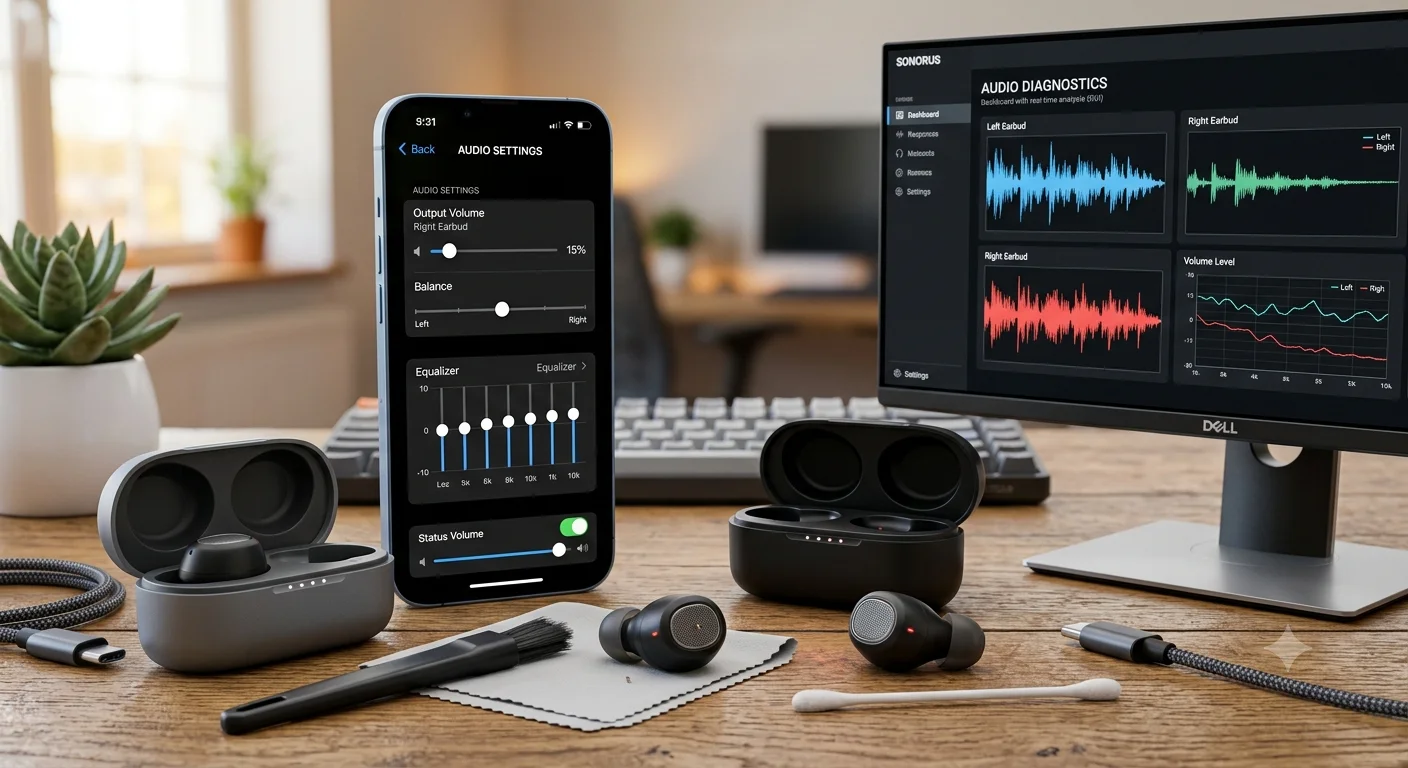
Few things are more frustrating than putting on your wireless earbuds and discovering that the sound is much lower than it used to be. Whether you're listening to music, watching YouTube videos, attending online classes, taking calls, or gaming, low audio volume can significantly affect your experience.
The good news is that low sound in wireless earbuds is often caused by simple issues rather than permanent hardware failure. In many cases, the problem can be fixed within minutes by adjusting settings, cleaning the earbuds, updating software, or resetting the device.
This guide explains the most common causes of low earbud volume and provides practical solutions that work for most wireless earbuds in 2026.
Why Do Wireless Earbuds Suddenly Sound Quiet?
Low sound can occur for several reasons.
Common causes include:
- Earwax blocking speaker grills
- Incorrect volume settings
- Bluetooth connection issues
- Software glitches
- Audio balance settings
- Low battery levels
- Firmware problems
- Damaged drivers
- Poor earbud fit
Before replacing your earbuds, it is worth checking each of these possibilities.
Quick Troubleshooting Checklist
Before diving into detailed fixes, perform these basic checks.
Table 1: Quick Low Volume Troubleshooting Guide
Start with these simple solutions before assuming your earbuds are faulty.
Many users solve the problem simply by cleaning the earbuds or reconnecting them.
Check the Device Volume First
This sounds obvious, but it is surprisingly common.
Some phones maintain separate volume controls for:
- Media playback
- Calls
- Notifications
- Bluetooth devices
On Android
Check:
- Media volume
- Bluetooth volume
- Accessibility audio settings
On iPhone
Check:
- Bluetooth audio output
- Volume limiter settings
- Headphone safety settings
Sometimes the earbuds are working normally, but the device is restricting volume.
Clean the Earbud Speaker Mesh
One of the most common causes of low sound is a clogged speaker grille.
Over time, earbuds collect:
- Earwax
- Dust
- Skin oils
- Pocket debris
Even a thin layer can significantly reduce sound output.
Safe Cleaning Tips
Use:
- Soft brush
- Microfiber cloth
- Dry cotton swab
Avoid:
- Sharp metal objects
- Excessive water
- Aggressive cleaning chemicals
Regular cleaning helps maintain both volume and sound quality.
Check Bluetooth Connection Quality
Bluetooth issues can sometimes affect volume levels.
Try the following:
- Disconnect earbuds.
- Turn Bluetooth off.
- Restart your phone.
- Reconnect the earbuds.
This often resolves temporary connection problems.
Verify Audio Balance Settings
If one earbud sounds quieter than the other, the issue may be related to balance settings.
Android
Look for:
- Accessibility settings
- Audio balance controls
iPhone
Go to:
Settings → Accessibility → Audio & Visual → Balance
Ensure the balance slider remains centered.
An accidental adjustment can make one earbud seem defective when it is actually functioning normally.
Update Earbud Firmware
Modern wireless earbuds increasingly rely on firmware updates.
Manufacturers release updates to improve:
- Audio performance
- Connectivity
- Battery efficiency
- Bug fixes
Using outdated firmware can sometimes cause unexpected audio issues.
If your earbuds include a companion app, check for available updates.
Check Battery Levels
Low battery levels can affect performance in some wireless earbuds.
Symptoms may include:
- Reduced volume
- Audio distortion
- Connection instability
Make sure:
- Both earbuds are fully charged
- Charging contacts are clean
- Charging case functions correctly
If one earbud consistently drains faster, battery wear may be developing.
Disable Volume Limiting Features
Many devices now include hearing protection features.
These settings are useful but can sometimes reduce maximum volume more than expected.
Common Volume Restrictions
- Headphone safety limits
- Safe listening mode
- Volume protection warnings
- Regional audio restrictions
Review your device settings carefully if maximum volume seems unusually low.
Test with Another Device
A simple test can reveal whether the issue comes from the earbuds or the original device.
Try connecting the earbuds to:
- Another smartphone
- Tablet
- Laptop
- Computer
Table 2: How to Identify the Source of the Problem
This comparison can help narrow down the cause.
This simple test often saves time and prevents unnecessary replacements.
Reset the Wireless Earbuds
If nothing else works, a factory reset may help.
Resetting can fix:
- Pairing issues
- Software bugs
- Volume inconsistencies
- Sync problems
The process varies by manufacturer, so follow the instructions provided by the earbud brand.
After resetting:
- Delete the Bluetooth pairing.
- Restart the phone.
- Pair the earbuds again.
When Low Volume Indicates Hardware Failure
Not every problem can be fixed through settings or cleaning.
Possible hardware issues include:
- Damaged speaker drivers
- Water damage
- Aging batteries
- Faulty charging circuits
- Internal component failure
If volume remains unusually low after troubleshooting, professional support may be necessary.
Common Mistakes People Make
Increasing Volume Beyond Safe Levels
Many users immediately raise volume to maximum rather than identifying the root cause.
This can increase the risk of hearing fatigue.
Cleaning with Sharp Tools
Metal pins and needles can damage the speaker mesh.
Ignoring Firmware Updates
Software updates often improve stability and performance.
Buying Counterfeit Earbuds
Low-quality copies frequently develop audio problems much sooner than genuine products.
Preventing Low Sound Issues in the Future
Good maintenance helps earbuds last longer.
Keep Earbuds Clean
Regular cleaning prevents speaker blockage.
Store Them Properly
Use the charging case when not in use.
Avoid Excessive Moisture
Sweat and water can damage internal components.
Update Software Regularly
Firmware updates often improve overall reliability.
Charge Properly
Avoid leaving batteries completely discharged for extended periods.
Expert Recommendations
For Minor Volume Problems
Start with:
- Cleaning the earbuds
- Checking volume settings
- Restarting Bluetooth
These steps solve many issues.
For One Quiet Earbud
Focus on:
- Speaker mesh cleaning
- Audio balance settings
- Firmware updates
For Persistent Issues
Try:
- Factory reset
- Alternative device testing
- Warranty support
For Older Earbuds
If battery health has significantly deteriorated or hardware components are failing, replacement may be the most practical option.
When purchasing replacement earbuds, choose genuine products backed by warranty support. Trusted retailers such as Delenzo Mart help buyers access authentic wireless earbuds and audio equipment with reliable after-sales service.
Frequently Asked Questions
Why is one wireless earbud quieter than the other?
The most common causes are earwax buildup, audio balance settings, or speaker blockage. Cleaning and checking balance settings often solve the problem.
Can low battery cause low sound in wireless earbuds?
Yes. Some earbuds reduce performance when battery levels become very low.
Why do my earbuds sound muffled?
Muffled audio is often caused by dirt, earwax, damaged speaker mesh, or poor earbud fit.
Should I reset my earbuds if the sound becomes low?
A factory reset can help if software glitches or pairing issues are affecting audio performance.
Where can I buy genuine wireless earbuds in Pakistan?
Buying from trusted retailers is important. Delenzo Mart offers authentic wireless earbuds, audio accessories, and creator gear with reliable support and warranty options.
Conclusion
Low sound in wireless earbuds does not always mean the device is broken. In many cases, simple fixes such as cleaning the speaker mesh, checking Bluetooth settings, updating firmware, adjusting audio balance, or resetting the earbuds can restore normal performance.
The key is to diagnose the problem systematically rather than immediately replacing the earbuds. Start with the easiest fixes and work through the troubleshooting process step by step.
If your earbuds still struggle after thorough troubleshooting, it may be time to consider professional support or a replacement. For genuine wireless earbuds, audio equipment, and trusted tech accessories in Pakistan, Delenzo Mart remains a reliable source for quality products and expert guidance.