Sign up with Google
 Sign in with Zoho
A technician can arrive on time, find the fault, and still leave without finishing the job. The reason is often simple. The part was not on the truck. The equipment history was missing. Or the wrong person got the call. Now the customer needs a second appointment, and the schedule takes another hit.
That is why service companies watch two numbers closely: first-time fix rate and technician productivity. Both depends on how well the office and the field share information.
What Is First-Time Fix Rate, and Why Does It Matter?
First-time fix rate is the share of service calls finished on the first visit, with no return trip for the same problem. If a team handles 100 calls and fixes 82 on the first visit, the rate is 82%.
A repeat visit takes capacity away from new work. It adds travel time and fuel costs, and the customer waits longer. A low rate often shows up as:
- More repeat visits
- Higher travel and fuel costs
- Less room for new jobs
- Longer customer wait times
- More calls between technicians and the office
Some return trips can’t be avoided. Many can.
How Field Service Software Helps Dispatchers Send the Right Technician
The closest technician is not always the best choice. Skills, location and parts matter too.
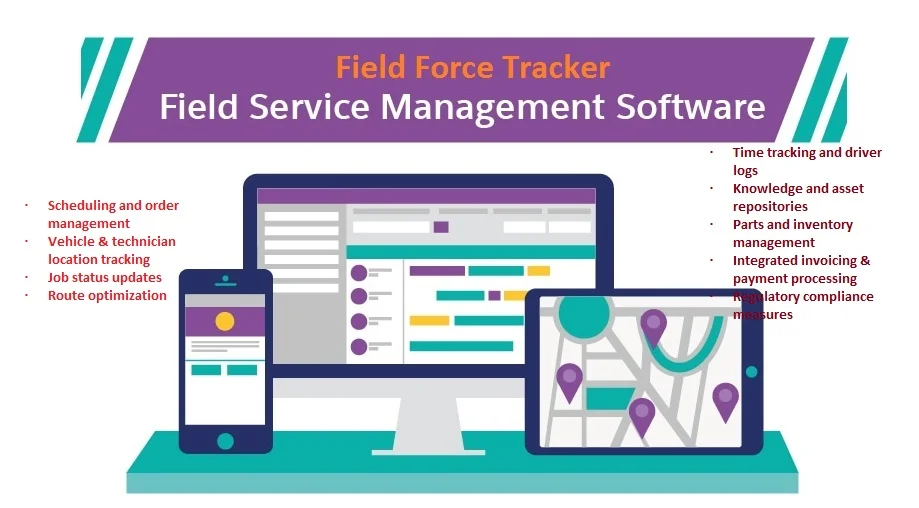
Field Force Tracker’s scheduler weighs job type, technician skills, current location, branch, department and product type. In automatic mode, it narrows the list of suitable technicians and picks one using set rules. Dispatchers who prefer manual control can drag and drop jobs on the calendar. The company states that its scheduling tool increases first-time fix rates and cuts average time to repair by at least 20%.
From the dispatch board, the office can see:
- The job schedule, including start and stop times
- Job location and unscheduled work
- Job history and client history
- Parts and their status
Four calendar views (month and week, grid, map and list) make conflicts easier to spot. Crew dispatching lets you assign more than one person to the same job.
Parts Availability and Inventory Control
A missing part can turn a one-visit job into two. Field Force Tracker tracks stock across warehouses, technician trucks and job sites, so the office knows where a part is, not only how many exist. Dispatchers can also check parts availability before planning a job.
- Inventory features that support this include:
- Barcode scanning to check parts in and out
- Minimum stock levels with low-stock alerts
- Automated reordering through purchase orders
- Used parts deducted from stock automatically
- Serial number tracking for high-value equipment, with warranty details
What Field Force Tracker Puts in a Technician’s Hands
The mobile app runs on iPhone and Android phones and tablets. Before touching the equipment, a technician can open the full work order, customer history and repair history. That means fewer calls to the office and more time on the job.
Technicians can also use:
- Equipment records with spec sheets, warranty dates and past work
- Custom checklists and inspection forms, plus a library of over 100 pre-designed forms
- Product documentation and schematics
- Photos, customer signatures, and diagnostic and completion notes
- Remote parts requests
- Quotes, invoices and on-the-spot payment collection
- Clock in and clock out
Schedule changes reach technicians by email or text, and office staff see work order updates as they happen. Signal is not always strong on site. Job and scheduling data can be viewed without a connection, and notes or photos sync later. Inventory levels and live payments do need network access.
Summary
First-time fixes improve when the right technician arrives with the right part and the right information. Smart dispatch, live inventory tracking and a capable mobile app each cover a piece of that. Used together, they help cut repeat visits and free up technician time for new work.
Fire and security teams can also use Field Force Tracker as alarm business software, with quotes, work orders, recurring invoicing, contracts management and advanced inventory.